Everyday automation · ChatGPT + your Windows apps

Delegate work on your PC. From the first step to a checkable result.

From Facebook, Instagram and YouTube Studio to Excel, documents, store panels and local Windows work. LocalCommander gives ChatGPT tools for authorized apps while keeping the final decision with you.

FacebookInstagramYouTubeExcelPDF & WordBrowserE-commerceWindows
01 / AREA

Facebook + Instagram

Content calendars and customer-message workflows

View workflow ↗
02 / AREA

YouTube Studio

Uploads, descriptions, thumbnails and comments

View workflow ↗
03 / AREA

Excel + documents

Invoices, reports, margins and structured data

View workflow ↗
04 / AREA

Office + administration

Forms, deadlines and required attachments

View workflow ↗
A real output

A report, document, prepared material or completed supported task on your PC.

Your authorized account

Web workflows use your signed-in session and the permissions available to that account.

Review before publishing

Define which state-changing actions must stop and wait for your approval.

17 workflows · 6 areas

See what you can delegate.

Choose an area or scroll to a detailed workflow. Each one includes a ready prompt and the access/control boundaries.

Use cases / Social media

Social media

4 workflows
01
FacebookInstagramMeta Business Suite

Facebook + Instagram: a full-week publishing calendar

From local media and an offer sheet to reviewed drafts for two channels, with account, format and date checks.

How the workflow runs
  1. Open the authorized Meta Business Suite and identify the Pages/professional Instagram accounts you can manage.
  2. Review the selected media folder and offer spreadsheet; prepare channel-specific copy variants.
  3. Fill draft post fields and attach the intended media where the current interface supports it.
  4. Show a calendar with channel, copy, media and date; wait for approval before scheduling or publishing.
  5. After approval, verify the actual status in Meta Business Suite and save a short report.
Required access

A signed-in Meta Business Suite session, permission to the Facebook Page and connected professional Instagram account, plus approved source media.

Approval boundary

Do not publish or schedule anything before explicit approval.

Ready brief for ChatGPT

In my signed-in Meta Business Suite, prepare a plan for 7 Facebook and Instagram posts using the images in the folder I specify and my offer spreadsheet. Check which profiles I can manage. Prepare the drafts, attach media where the interface supports it, and show me the calendar for approval. Only after my explicit confirmation, schedule the approved posts and verify their status.

02
FacebookInstagramExcel

Comments and messages: a customer-service queue

Turn visible conversations into priorities, draft replies and a clean follow-up register.

How the workflow runs
  1. Open the authorized messages/comments view.
  2. Collect the conversations in the requested time range without exporting unrelated data.
  3. Group questions by topic and remove duplicate threads.
  4. Prepare response drafts and flag conversations that need a human decision.
  5. After approval, reply only to selected threads and update the Excel register.
Required access

Your business account and permission to handle conversations in the visible interface.

Approval boundary

No automatic bulk messaging and no replies without review.

Ready brief for ChatGPT

In my signed-in Meta Business Suite, review new comments and messages from the last 7 days that I am authorized to access. Group them by topic, remove duplicate threads and create an Excel table with status, priority and a proposed reply. Do not respond to anyone until I approve the selected conversations.

03
InstagramWindowsMeta Business Suite

Instagram Reels: from a local video file to a draft

Use ready video files and approved copy instead of recreating every Reel manually.

How the workflow runs
  1. Inspect the selected vertical-video files and their basic metadata.
  2. Prepare caption, CTA and hashtag options.
  3. Open the available Reel/draft surface in the signed-in professional account.
  4. Attach the chosen file and fill draft metadata where supported.
  5. Wait for approval before scheduling/publishing, then verify the status.
Required access

Ready video assets and access to the professional profile through a supported interface.

Approval boundary

LocalCommander does not generate a finished video from text alone; the result depends on your source files and the platform UI.

Ready brief for ChatGPT

I have three finished vertical videos in a Windows folder. Check their names, sizes and availability. Propose short Instagram captions, CTAs and hashtags. Open my signed-in professional profile or Meta Business Suite and prepare a draft with the selected video. Do not publish or schedule it without my approval.

04
FacebookBrowserExcel

Facebook Page: update offers and verify published content

Compare recent public content with the current offer and prepare controlled updates.

How the workflow runs
  1. Read the recent posts visible on your own Page.
  2. Compare the offer details with the approved spreadsheet.
  3. Prepare proposed copy, links and media changes.
  4. Wait for approval before editing or creating public posts.
  5. Verify the resulting post and store the final link/status.
Required access

Access to your own Page and a current offer spreadsheet.

Approval boundary

Public content changes require approval.

Ready brief for ChatGPT

On my Facebook Page, review the latest 20 posts I am authorized to manage. Compare the offers with the Excel file I specify, mark outdated content, and prepare replacement posts plus a report with links. Do not edit or publish anything until I approve the change list.

Use cases / YouTube & video

YouTube & video

3 workflows
01
YouTube StudioWindowsExcel

YouTube Studio: video, thumbnail, metadata and schedule

Move from local video assets to a reviewed upload draft and verified schedule on your own channel.

How the workflow runs
  1. Find the approved video and thumbnail files.
  2. Prepare title, description, chapters and tag suggestions from provided material.
  3. Open the signed-in YouTube Studio upload flow and prepare a draft.
  4. Show all metadata and required creator decisions before publishing or scheduling.
  5. After approval, set the selected schedule and verify the exact status.
Required access

A signed-in YouTube Studio session with channel access and a finished video file.

Approval boundary

No automatic video generation and no public publishing without approval.

Ready brief for ChatGPT

On my computer, find the finished video and thumbnail in the folder I specify. Based on the supplied notes, prepare a title, SEO description, chapters and tag suggestions. In my signed-in YouTube Studio, prepare the upload draft and fill the metadata. Do not publish or schedule it until I confirm. After approval, set the chosen date and verify the status.

02
YouTube StudioExcel

YouTube comments: questions, reply drafts and future video ideas

Turn recent viewer feedback into a structured queue instead of answering chaotically.

How the workflow runs
  1. Open the authorized comment view in YouTube Studio.
  2. Collect recent visible questions and recurring topics.
  3. Group them and identify useful ideas for future content.
  4. Prepare reply drafts and a spreadsheet of topics/priority.
  5. Publish replies only after explicit approval.
Required access

Channel permissions and visible comments in YouTube Studio.

Approval boundary

Do not publish comment replies without explicit approval.

Ready brief for ChatGPT

In my signed-in YouTube Studio, review the recent comments available on my videos. Group viewer questions and problems, create 10 ideas for future videos, and prepare reply drafts in Excel. Do not publish any replies until I approve the selected ones.

03
YouTube StudioExcel

YouTube: audit your video library and metadata

Collect the channel information you can actually see and identify videos that need review.

How the workflow runs
  1. Open the authorized video-library view.
  2. Collect titles, dates, visibility/status and links that are available.
  3. Organize the data into a review spreadsheet.
  4. Identify videos with missing or inconsistent metadata and propose improvements.
  5. Do not edit public videos until the user approves the change list.
Required access

A signed-in YouTube Studio session with edit permission for the selected channel.

Approval boundary

Do not claim analytics the account does not expose or guarantee view growth.

Ready brief for ChatGPT

Review the available video library in my signed-in YouTube Studio. Create an Excel sheet with titles, dates, status, links and optimization suggestions. Identify 10 videos worth reviewing first. Do not edit public content until I approve the changes.

Use cases / Office & Excel

Office & Excel

4 workflows
01
ExcelCSVPDF

Excel: sales report, margins and products that need attention

Combine verified sales exports into a report with margins, missing data and action items.

How the workflow runs
  1. Inspect the structure of the source files and identify a stable join key.
  2. Validate duplicates, missing values and time ranges.
  3. Calculate the requested sales and margin metrics only from source data.
  4. Create a new XLSX with control totals and a review queue.
  5. Compare sample rows with the source before treating the report as final.
Required access

Sales exports or spreadsheets plus known definitions for costs and margins.

Approval boundary

Profit and loss calculations must come from source data, not AI assumptions.

Ready brief for ChatGPT

In the folder I specify I have three Excel/CSV files: orders, purchase costs and delivery costs. Inspect the schemas, join rows only on a stable ID, calculate sales and margin by product and month, and save a new XLSX with control totals and missing-data rows. Do not change the originals and do not invent missing prices.

02
PDFExcelWindows

Invoices and documents: from PDFs to an organized spreadsheet

Create a reviewable invoice register from local documents and isolate unclear files.

How the workflow runs
  1. List the PDF files in the selected folder.
  2. Extract only supported fields and preserve the source file reference.
  3. Mark scans or uncertain documents for manual review.
  4. Create a new Excel register with confidence/status information.
  5. Do not send or book documents automatically.
Required access

Documents on your own disk. Scanned PDFs may require additional OCR tooling.

Approval boundary

Do not issue invoices or submit documents to authorities automatically.

Ready brief for ChatGPT

In the Invoices/2026 folder, read the supported PDF files. Build a new Excel register with source file, invoice number, supplier, date, due date, net, tax, gross and a confidence status. Mark scans or difficult documents for manual review. Do not send anything to accounting or public authorities.

03
ExcelBrowser

Deadlines and operations: overdue items and a priority list

Turn a task/deadline sheet into a prioritized review instead of checking every row manually.

How the workflow runs
  1. Read the selected task/deadline workbook.
  2. Identify overdue rows, the next 7 days and missing fields.
  3. Create a separate priority view or workbook.
  4. Prepare reminder drafts where useful.
  5. Do not send reminders without approval.
Required access

A spreadsheet with deadlines and clear priority rules.

Approval boundary

Do not send reminders to third parties without approval.

Ready brief for ChatGPT

Review the Excel file I specify with tasks, deadlines and owners. Identify overdue items, tasks due in the next 7 days and missing information. Create a new priority sheet and reminder drafts, but do not send any messages until I approve them.

04
ExcelDOCXPDF

Proposals and documents: from Excel to a finished PDF draft

Use an approved price list and template to prepare a consistent proposal without manual retyping.

How the workflow runs
  1. Read the approved price list and document template.
  2. Select only source-backed products, rates and terms.
  3. Generate a draft DOCX and PDF in a working folder.
  4. Compare totals back to the source spreadsheet.
  5. Prepare a message draft, but do not send it.
Required access

An approved price list, template and permission to use the recipient's data.

Approval boundary

Do not send proposals or invent prices without a source.

Ready brief for ChatGPT

Using the Excel price list and DOCX template I specify, prepare a customer proposal. Calculate only from available prices, create DOCX and PDF versions in Offers/Drafts, and compare the totals with Excel. Prepare an email draft but do not send it.

Use cases / Administration

Administration

2 workflows
01
PDFBrowserExcel

Paperwork: documents, forms and official portals

Find attachments, build a requirements checklist and prepare form fields without bypassing protected steps.

How the workflow runs
  1. Read the current official requirements or form.
  2. Compare required attachments with the files in the selected case folder.
  3. Create an Excel checklist of missing items and deadlines.
  4. If the authorized portal allows it, prepare visible form fields as a draft.
  5. Stop before MFA, signing or formal submission until the user explicitly approves.
Required access

Your own authorized portal account, valid session and any required authentication such as MFA.

Approval boundary

Do not bypass trusted-identity systems, MFA or electronic signatures.

Ready brief for ChatGPT

I have an administrative case in a portal I am signed in to. Check the required fields and attachments, find the relevant documents in my Cases folder, and prepare an Excel checklist of missing items and deadlines. If the form is available, fill it as a draft from my approved data. Do not sign or submit it without separate approval.

02
WebmailExcelPDF

Email and customer service: queue, drafts and archive status

Review an authorized inbox, group threads and prepare replies without duplicates.

How the workflow runs
  1. Open the signed-in inbox and limit the requested time range.
  2. Collect relevant customer threads and attachments you are authorized to process.
  3. Group conversations by status and required action; detect duplicates.
  4. Prepare reply drafts and a tracking spreadsheet.
  5. Do not send, delete or archive anything before approval.
Required access

An authorized mailbox and appropriate permission to process correspondent data.

Approval boundary

No bulk email and no duplicate replies to the same thread.

Ready brief for ChatGPT

In my signed-in mailbox, review new customer messages from the last 3 days. Create an Excel table with subject, date, status, required action and attachments. Identify duplicate threads and prepare separate reply drafts. Do not send, delete or archive anything until I approve.

Use cases / E-commerce

E-commerce

3 workflows
01
ExcelBrowserStore admin

Store and marketplace: product sheet to sales panel

Compare approved product data with the current sales panel before controlled updates.

How the workflow runs
  1. Read the selected SKU spreadsheet.
  2. Compare current title, price, stock and description values with the authorized store panel.
  3. Report missing fields, duplicates and proposed changes per SKU.
  4. Wait for approval before editing any product.
  5. Update only approved products and verify each result.
Required access

Access to your own store admin and accurate source product data.

Approval boundary

Do not publish offers or change prices/availability without approval.

Ready brief for ChatGPT

My Excel file contains 30 SKUs with approved prices, stock and descriptions. Compare them with the products visible in my signed-in store admin, detect missing data and duplicates, and prepare a change plan per SKU. Do not publish or modify anything until I approve. After approval, update only the selected products and verify every change.

02
Store adminExcelEmail

Orders and complaints: store panel + Excel + reply drafts

Create one actionable report from order status, shipping information and complaint queues.

How the workflow runs
  1. Read recent orders from the authorized store panel.
  2. Compare them with the local tracking spreadsheet.
  3. Identify missing shipment numbers, overdue dispatches and complaints.
  4. Create a priority workbook and reply drafts.
  5. Do not refund, cancel or message customers without approval.
Required access

Permission to the store admin and customer/order data.

Approval boundary

Do not issue refunds, cancel orders or send messages without approval.

Ready brief for ChatGPT

Review my store orders from the last 7 days in the signed-in admin and compare them with the local spreadsheet. List missing tracking numbers, overdue shipments and complaints that need action. Create an Excel priority report with reply drafts. Do not change orders or send messages until I approve.

03
BrowserExcelCRM

Leads and listings: qualify opportunities and prepare CRM-ready drafts

Turn authorized public inquiries into a structured shortlist and individual response drafts.

How the workflow runs
  1. Review only the listings or inquiries the user explicitly provides.
  2. Score fit using clear, user-approved criteria.
  3. Remove duplicates and record source links.
  4. Create a shortlist and individual response drafts.
  5. Do not mass scrape or send outreach before approval.
Required access

Legitimate access to the source and use that complies with the platform's terms.

Approval boundary

Do not mass scrape services that prohibit it.

Ready brief for ChatGPT

Review the 20 listings or inquiries I specify in the browser. Compare them with my company's scope using explicit criteria, save a shortlist to Excel, detect duplicates and prepare individual response drafts. Do not send any messages until I approve them.

Use cases / IT & operations

IT & operations

1 workflows
01
WindowsTerminalBrowser

Developer/operations: inspect a local project and produce a status report

Combine Git, processes, tests, local URLs and errors into one reviewable project report.

How the workflow runs
  1. Inspect Git status and the current branch without changing it.
  2. Collect relevant processes, local endpoints and recent errors.
  3. Identify available tests and the least-invasive validation path.
  4. Create a report with evidence and prioritized next steps.
  5. Do not reset code, force push or deploy production without separate approval.
Required access

Access to the local repository and authorized test environments.

Approval boundary

No automatic code reset, destructive commands or production changes.

Ready brief for ChatGPT

On my computer, inspect the project in the repository I specify: Git status, running processes, available tests, recent errors and key local URLs. Prepare a status report with evidence and a recommended fix order. Do not modify production, run git reset/force push or deploy anything without approval.

One account, many workflows

From a morning report to finished content drafts.

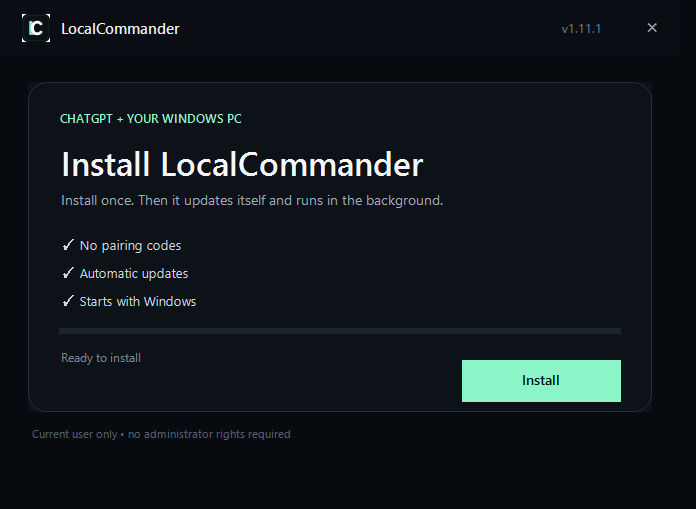
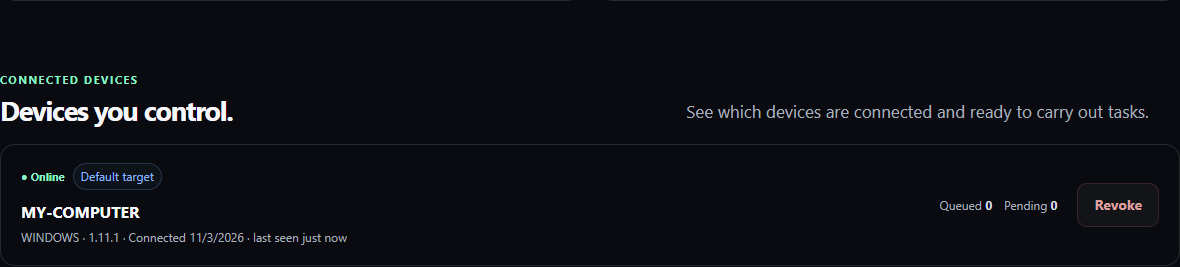
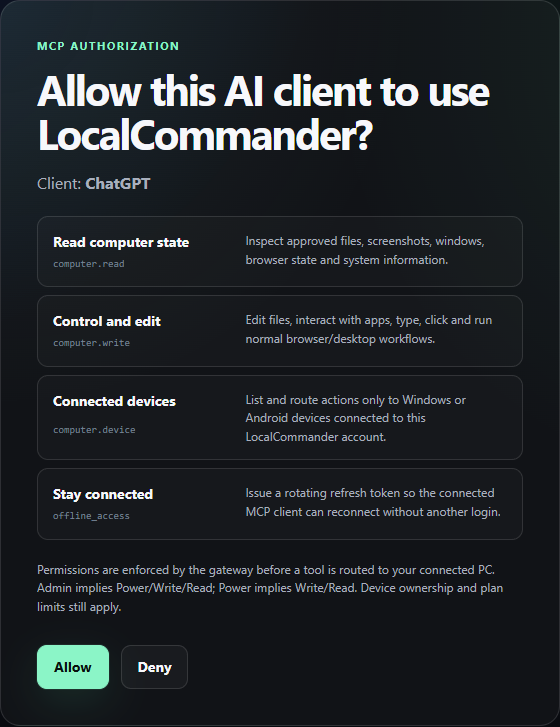
Start with one workflow on your own Windows PC. Connect LocalCommander, sign in to the apps you need and verify the result. Available actions depend on the current interface and your permissions.